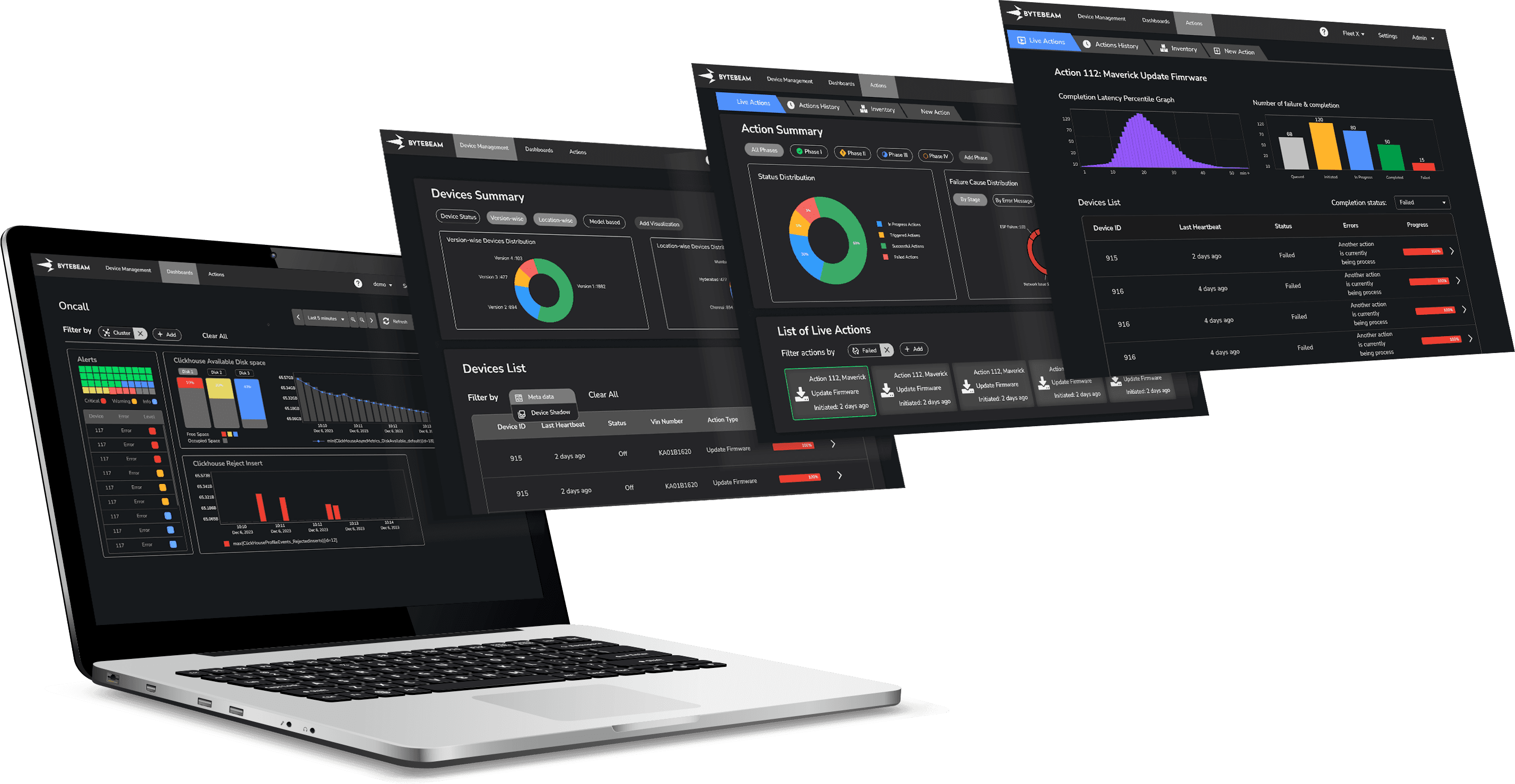
Bytebeam's cloud is a platform to manage and monitor connected devices across various industries. It offers real-time remote monitoring, over-the-air (OTA) updates, predictive maintenance, remote diagnostics, data analytics, and custom features.
Overview
In this page I will take you through how we redesigned Bytebeam’s Actions Tab, the hub where enterprises manage updates and actions across thousands of connected devices. While the platform offered powerful features like real‑time monitoring and OTA updates, the tab had become complex and inconsistent, making it harder for clients to work efficiently at scale.
Methodology
Our redesign was guided by a User-Centered Design approach, ensuring client needs shaped every stage of the process
Empathy – Understanding the needs
We talked informally with clients using Bytebeam Cloud to manage their fleets and got their feedback. We also went through support tickets to spot any issues with the Actions tab.
Insights Gathered
Clients managing high volume devices faced difficulty in selecting or filtering devices.
Inconsistent and cluttered interface made it difficult for few clients to find the right action.
The discrepancy in workflow often forced users to check docs or ask for help.
Without feedback, users feel like they have to double-check everything they do.
Define – Framing Requirements
We synthesized gathered insights from client interviews and translated raw pain points into specific, actionable requirements.
Actionable requirements
Clients managing thousands of devices lacked powerful filtering and targeting tools
The new design system should improve hierarchy reduce cognitive load.
The workflow must be simplified and intuitive thus enabling self-service without external support.
Consistent feedback mechanism should be implemented in every actionables task to build trust.
Solution – Ideation and Design
With clearly defined requirement we explored multiple layout directions for the Actions tab, focusing on design principles and feasibility.
Key Implementations
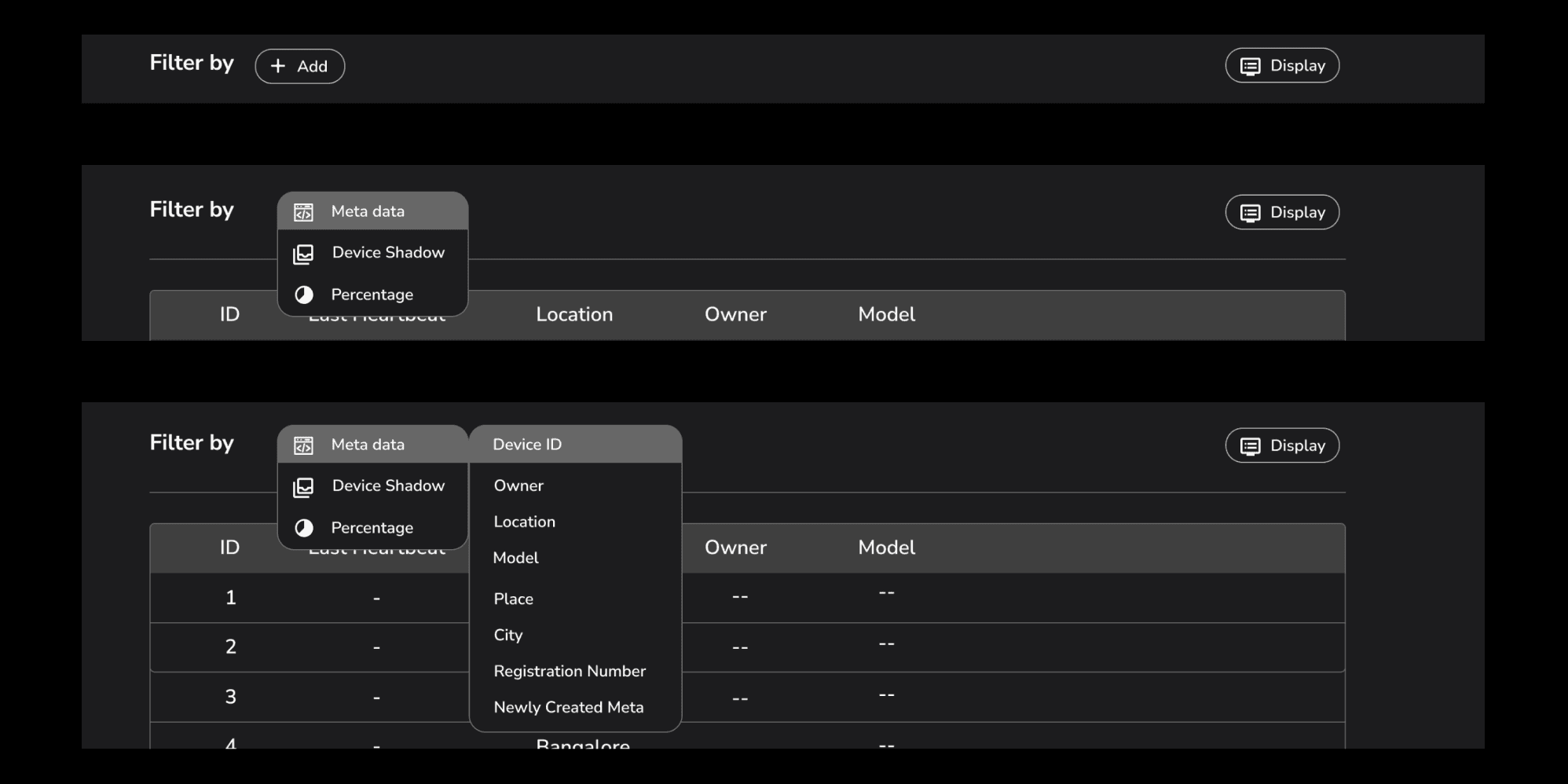
Hybrid faceted search function with collapsible logic blocks offered control over existing parameters of devices across domain.
Unified design system for consistency across the platform.
Improved information hierarchy with progressive disclosure in the forms helps the user to focus on relevant inputs.
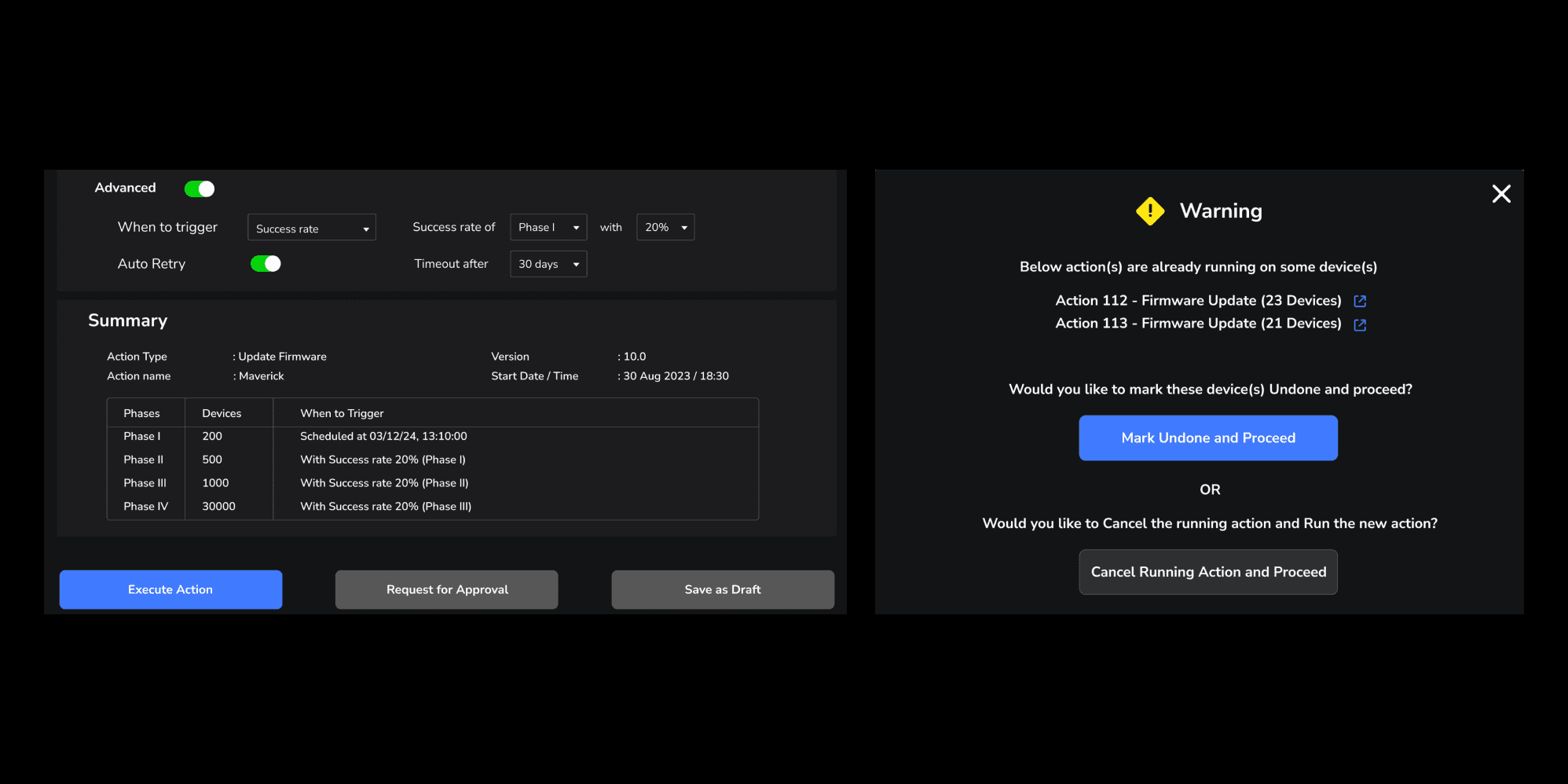
Introduced review screen and warning pop-ups to prevent errors and offer clear exit.
Deliver – Implementation, Iteration and Feedback
Key Iterations
Added drop down for select criteria in the filter section for faster selection
Refined UI components, adjusted logic flows, and improved visual hierarchy
Additional function and way forward was added in warning pop-up
Roll-out Impact
Positive Adoption:
Clients accustomed to the old interface quickly embraced the new design.Enterprise Scalability:
A client managing over 6,000 devices confirmed that the Enhanced Filter function significantly improved their operations.Reduced Support Dependency:
The simplified New Actions Form eliminated the need for help documentation, lowering support requests and onboarding friction.Business Impact:
The redesign strengthened Bytebeam Cloud’s positioning as a more intuitive and scalable platform for connected device management.
Redesign Highlights
Work Summary
Optimised workflow
New features integration
Complete UI overhaul
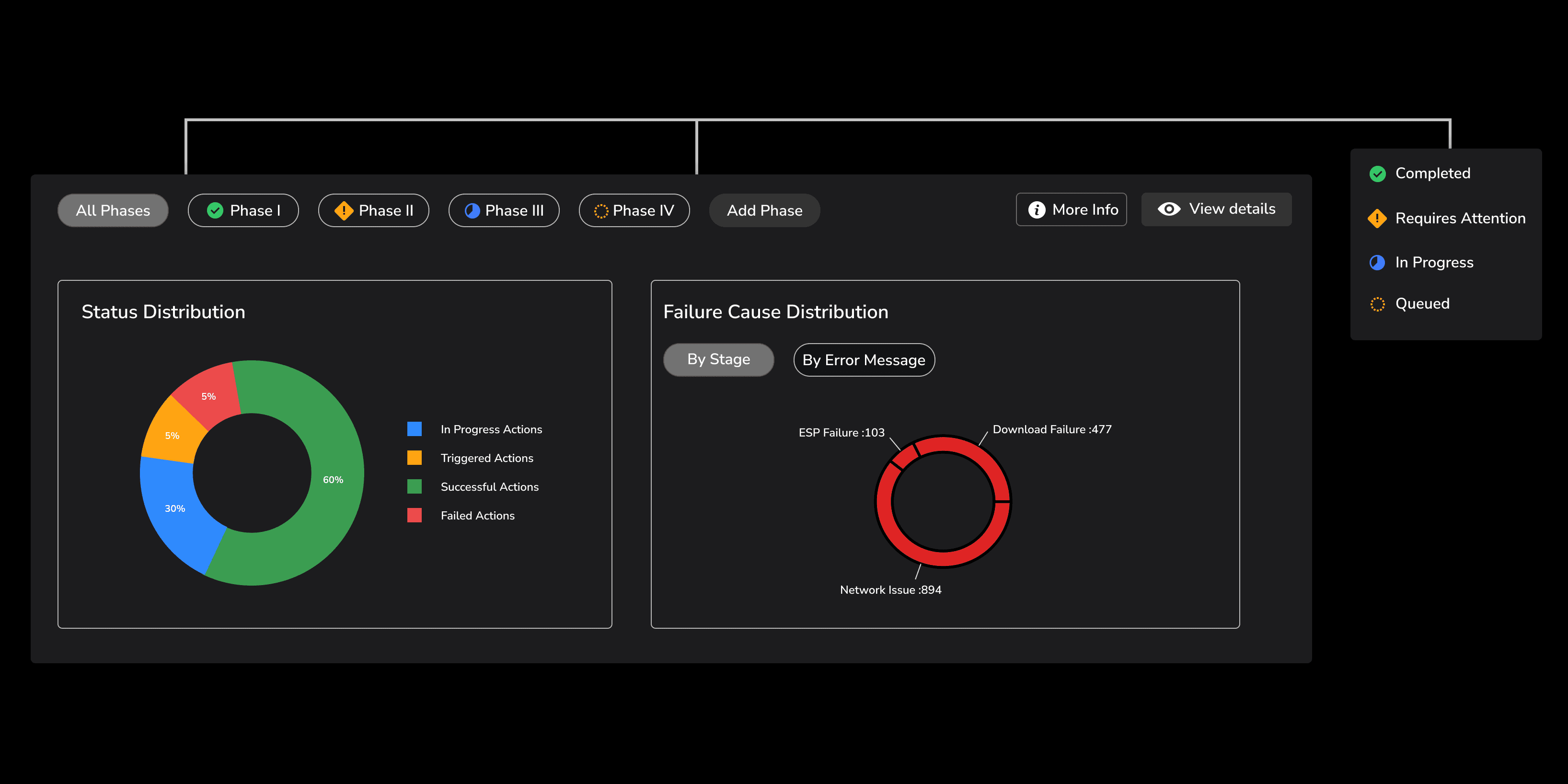
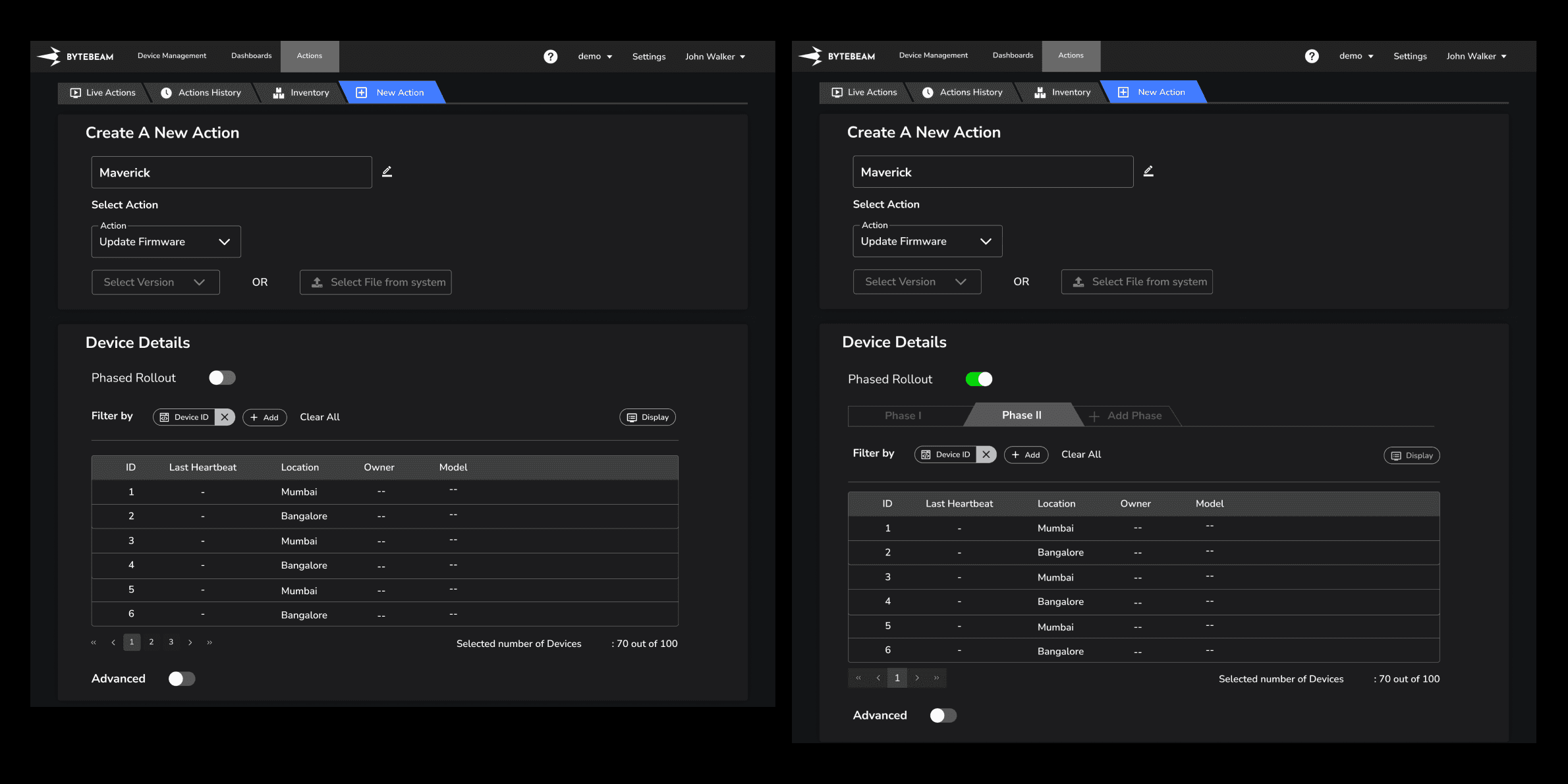
Implemented enhanced filter function and view options
Additional steps added for error prevention